

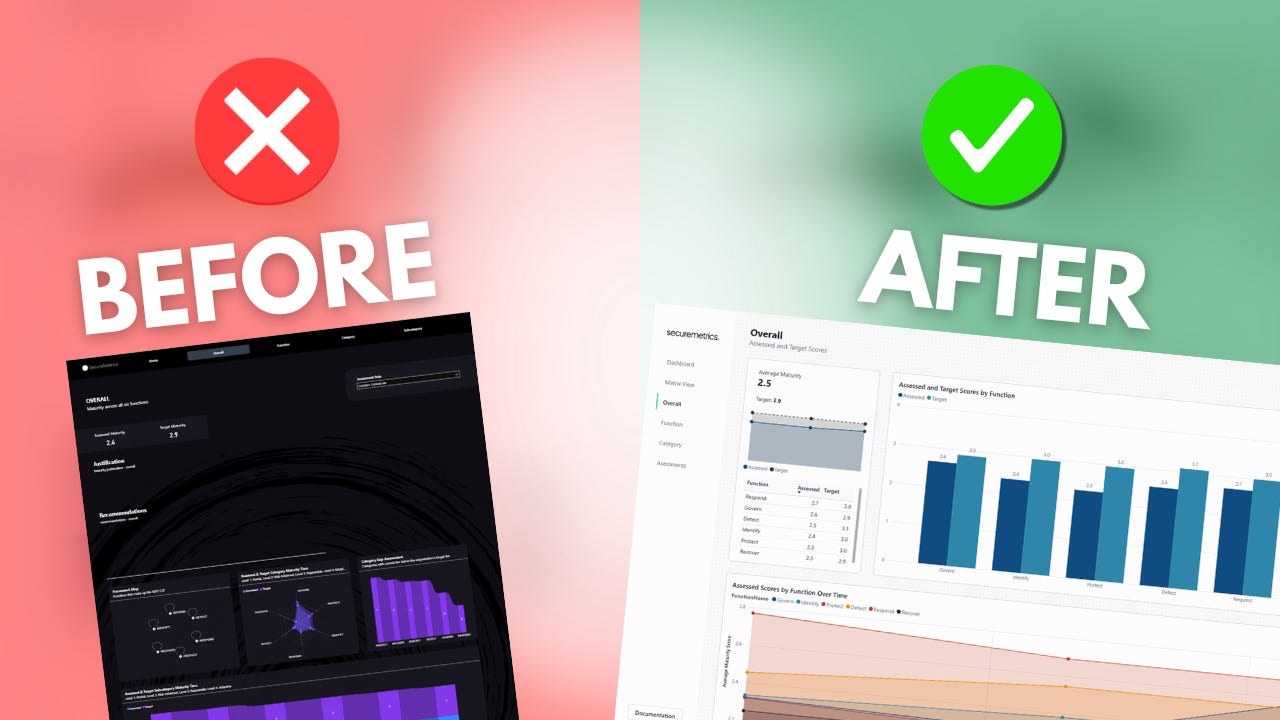
The NIST Cybersecurity Framework Power BI template is one of my most popular Power BI reports. I originally released in back in 2024, and while I’ve made small updates over time, I’ve learned a whole lot more about what works (and what doesn’t).
I decided it was time to give the template a complete makeover… so let’s take a tour.
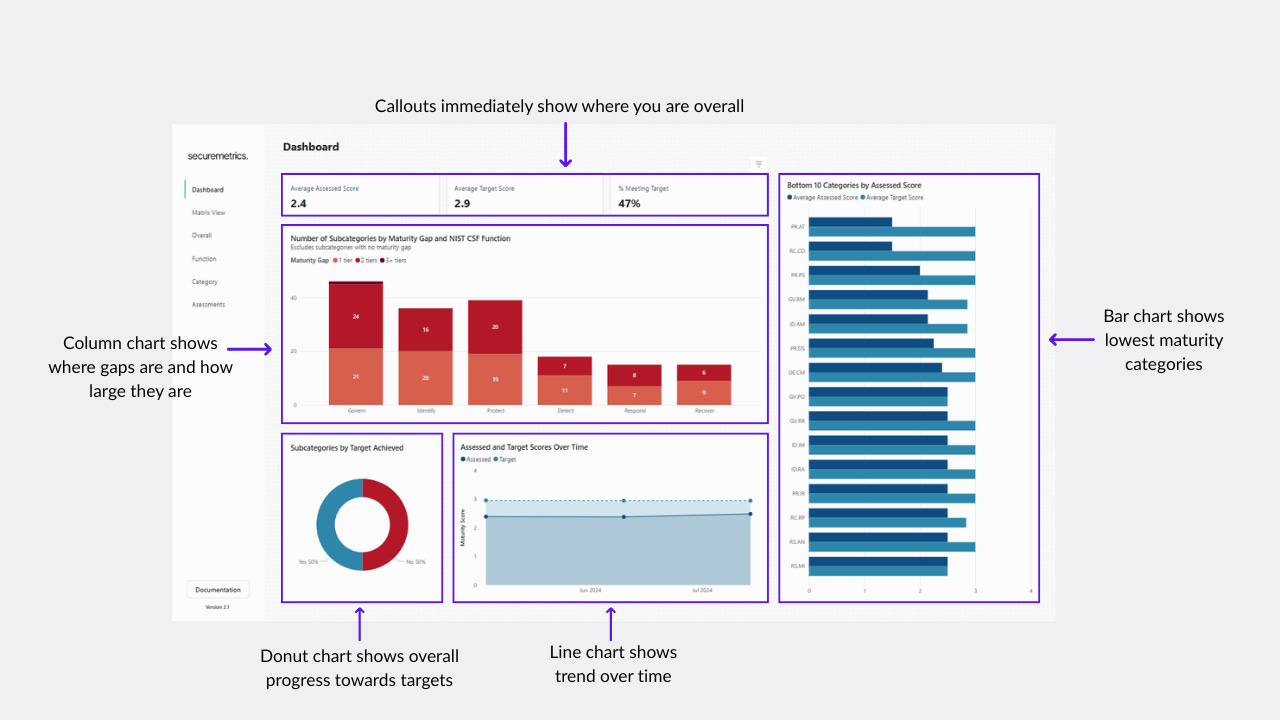
Dashboard Page
While this page is the first in the template, it’s actually the last page I added. While the other pages are designed for viewing the results of the assessment, the dashboard is focused on identifying the outcomes of the assessment: where to focus on improvements.
Matrix View Page
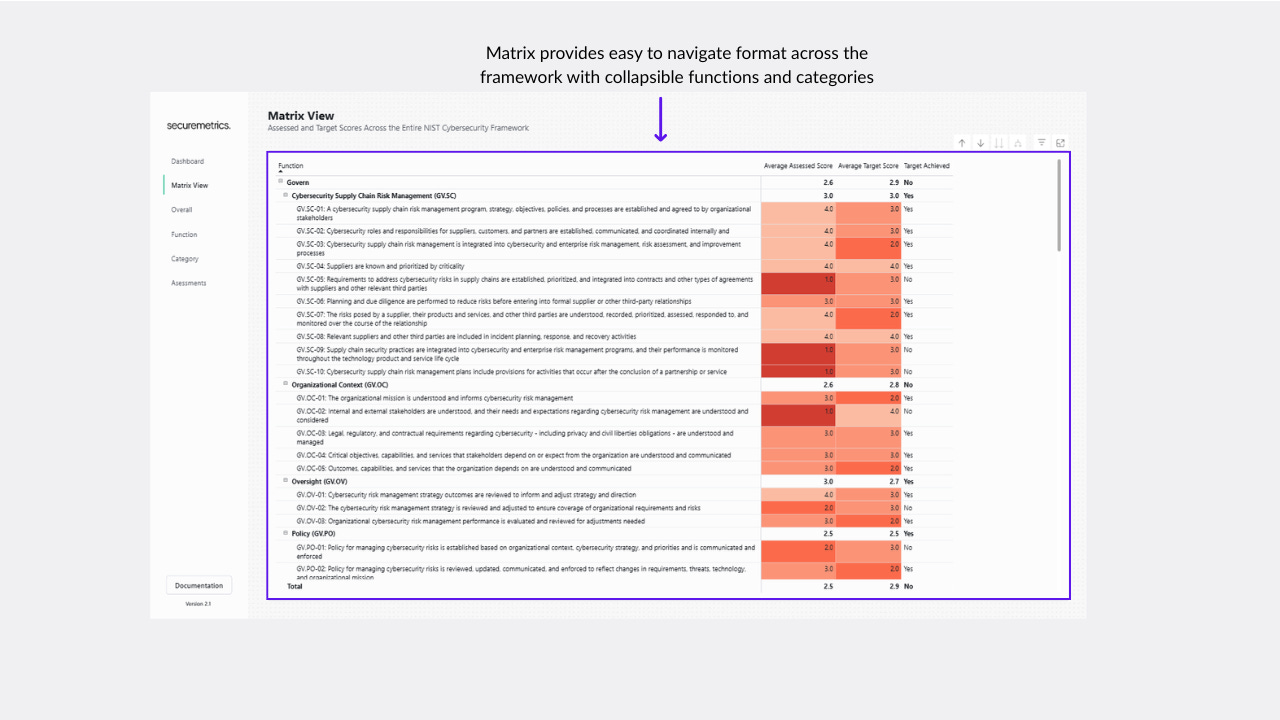
One of the challenges with visualizing security frameworks are the nested nature. In the case of the NIST CSF, it’s a three level hierarchy, with functions comprised of categories, and categories comprised of subcategories. The matrix view provides an easy to navigate format for viewing scores across the framework, with the ability to expand and collapse categories and functions.
Overall Page
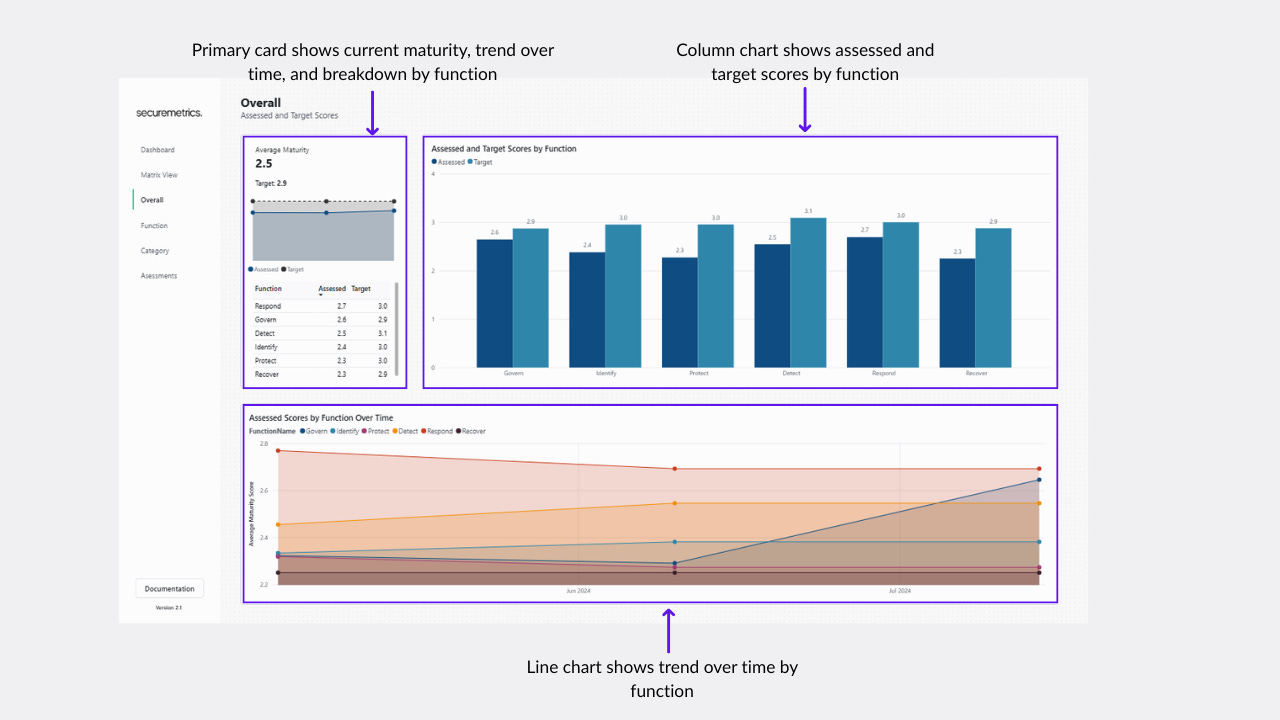
This page is the first of the standard assessment pages. It looks at the assessment across the entire framework, breaking it down by function.
Function Page
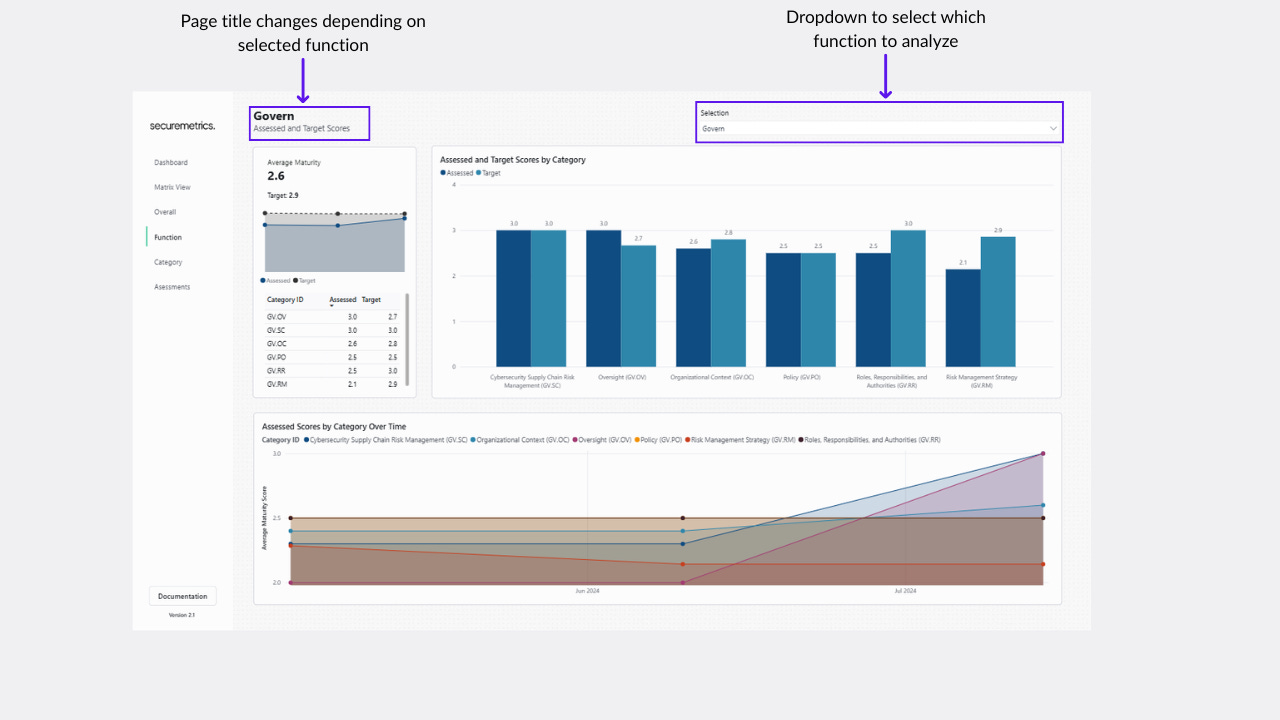
The same format as the rest of the main assessment pages, instead zooming in a specific function and breaking it down by the categories within that function.
Category Page
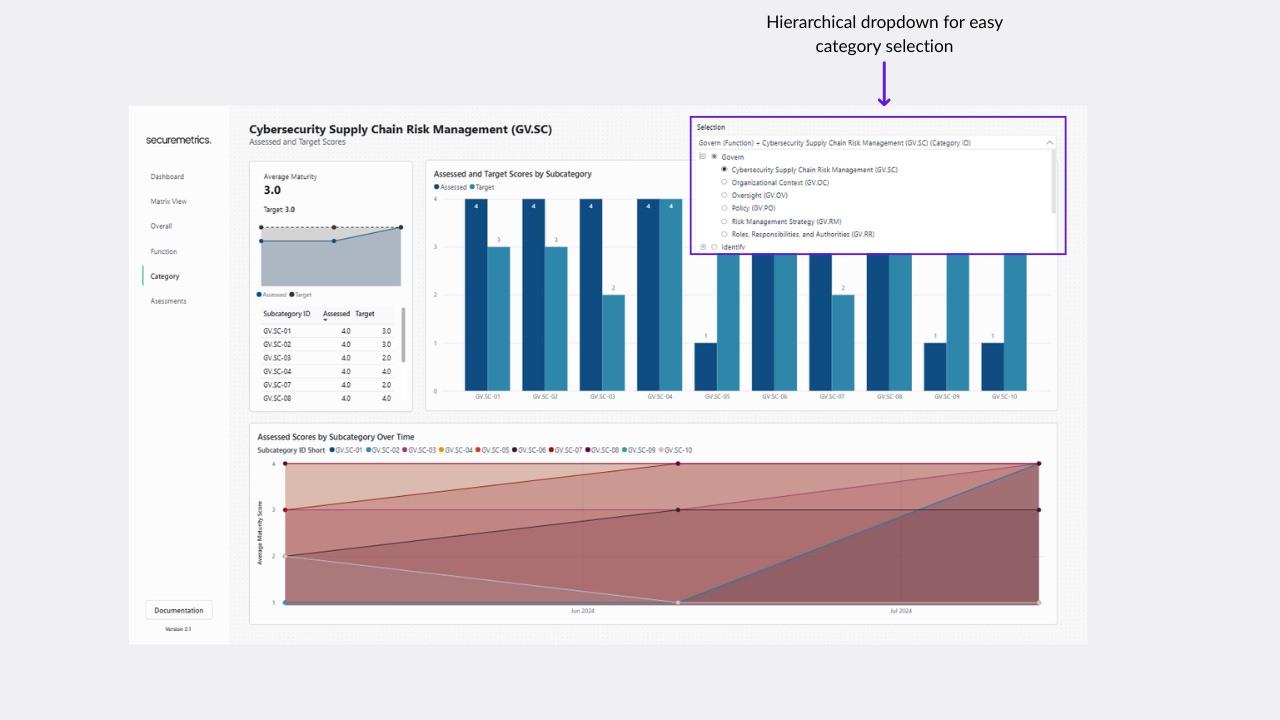
The same format as the rest of the main assessment pages, instead zooming in a specific category and breaking it down by the subcategories within that category. This page also implements a hierarchical category selector for easy navigation, similar to the matrix view.
Assessments Page
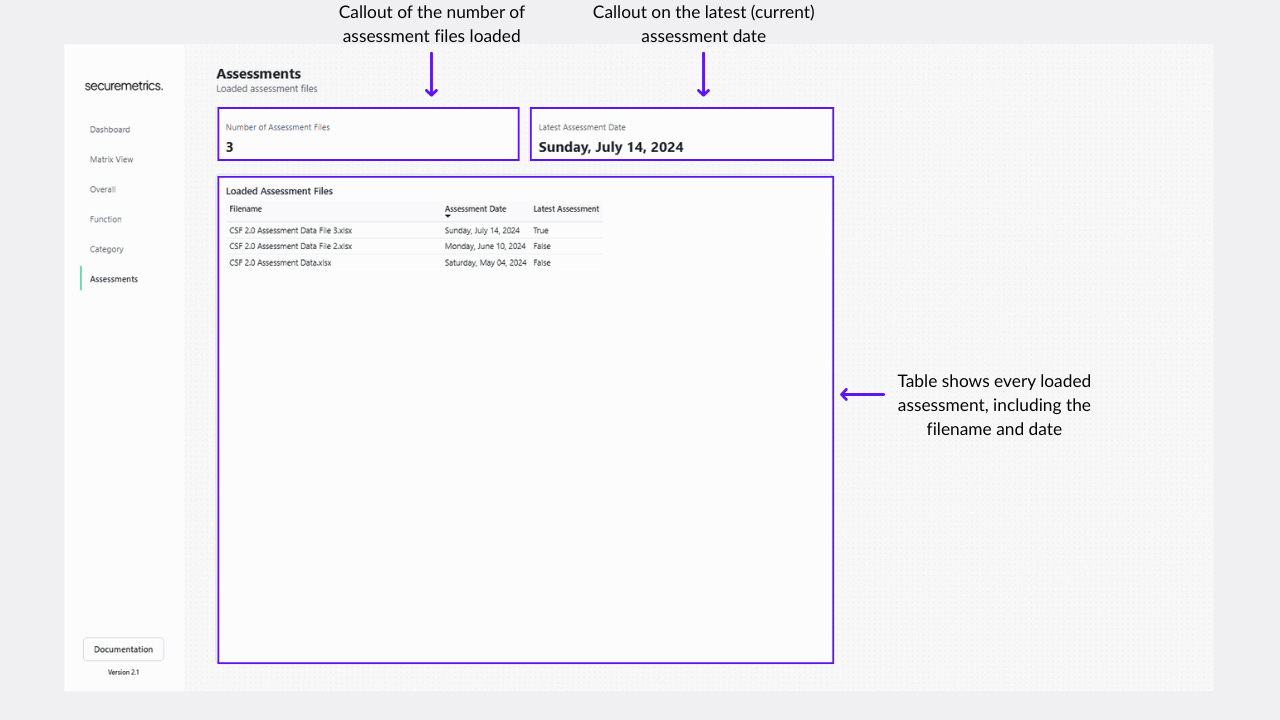
The NIST CSF template ingests multiple assessment files to show trends over time. However, how do you confirm which files are ingested? The assessments page lists out all the ingested files, and marks which file it’s using to calculate the current maturity status.
More Data Ingestion Options
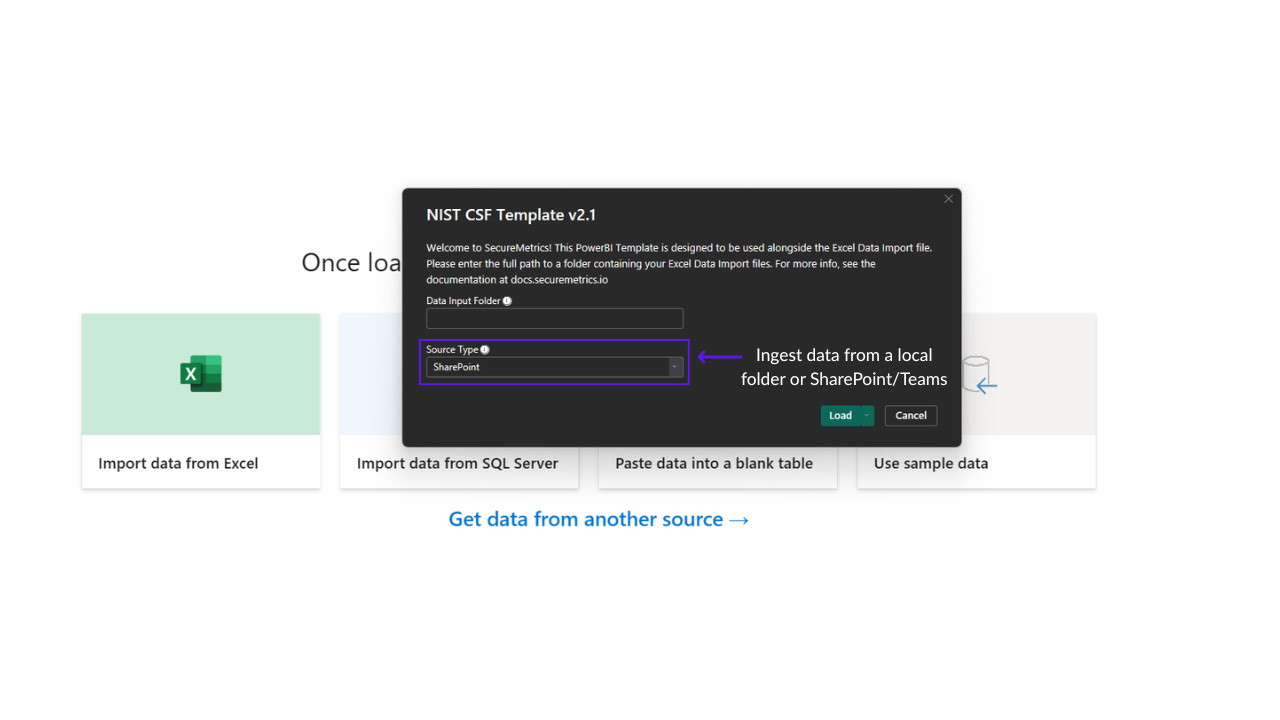
Previously, the NIST CSF template ingested multiple assessment files from a folder in the local filesystem. That is still an option, but if you want to set up automatic data refresh in the Power BI SaaS platform, you need to install a local gateway.
Now, when opening the template file you will have the option of selecting either a local folder, or storing the assessment files in SharePoint instead. This extends to Microsoft Teams, as it’s built on top of SharePoint.
How do I get it?
The updated NIST CSF assessment template is available free of charge for existing customers. You won’t even need to recreate your assessment files, it’s the exact same format! Just login to the customer portal here.
PS - The old files prior to the update are still available for download.
If you aren’t a current client, you can grab the template and get immediate access here.